
Core concepts
Funds, orders, threads, anchors, visibility, attribution, mentions, and notifications.
The Comment API organizes conversations by fund, order, thread, anchor, visibility, and author. Review these concepts before importing, exporting, or replying to comments.
Fund and order
A Fund Subscription, or fund, is the environment where your team manages a fundraise.
An order is one investor's subscription to that fund. Comments are attached to an order so that each conversation stays connected to the correct subscription.
Comment thread
A thread is one conversation. It contains an opening comment and any replies.
Each thread has a threadId. Use this ID when reading or importing comments. Treat it as an opaque value: store it exactly as returned and do not try to construct or interpret it; it does not encapsulate Fund ID or Order ID.
General threads and visibility
For general subscription matters, an order can have up to two threads:
| Visibility | Who can see the thread | Common examples |
|---|---|---|
internal | Your fund team only. The investor cannot see it. | Internal reviews, compliance coordination, and operational notes. |
shared | Your fund team, the investor, and collaborators who have access to the shared conversation. | Questions, confirmations, and updates intended for the investor. |
An order has at most one internal general thread and one shared general thread.
Before importing a comment, ask: Should the investor or an external collaborator be able to read this comment?
- No: use the
internalgeneral thread. - Yes: use the
sharedgeneral thread.
Visibility applies to the whole thread. Do not import a private comment into a shared thread.
The two screenshots below are the same order, seen from each side.
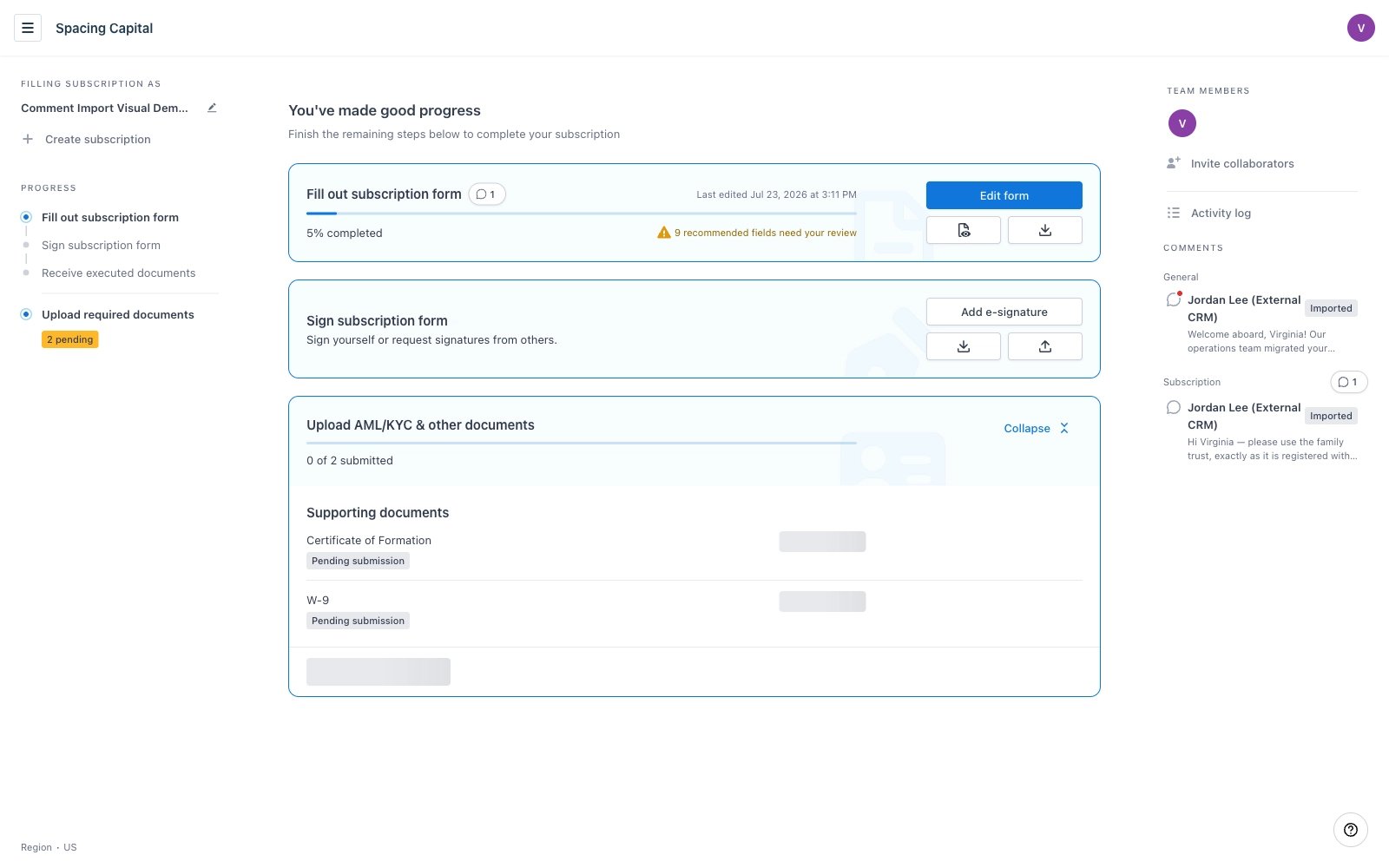
Investor view. Only shared comments are exposed. Each one shows the onBehalfOf name as its author and an Imported tag. The red dot is the unread in-app notification created by notifyMode: "inApp".
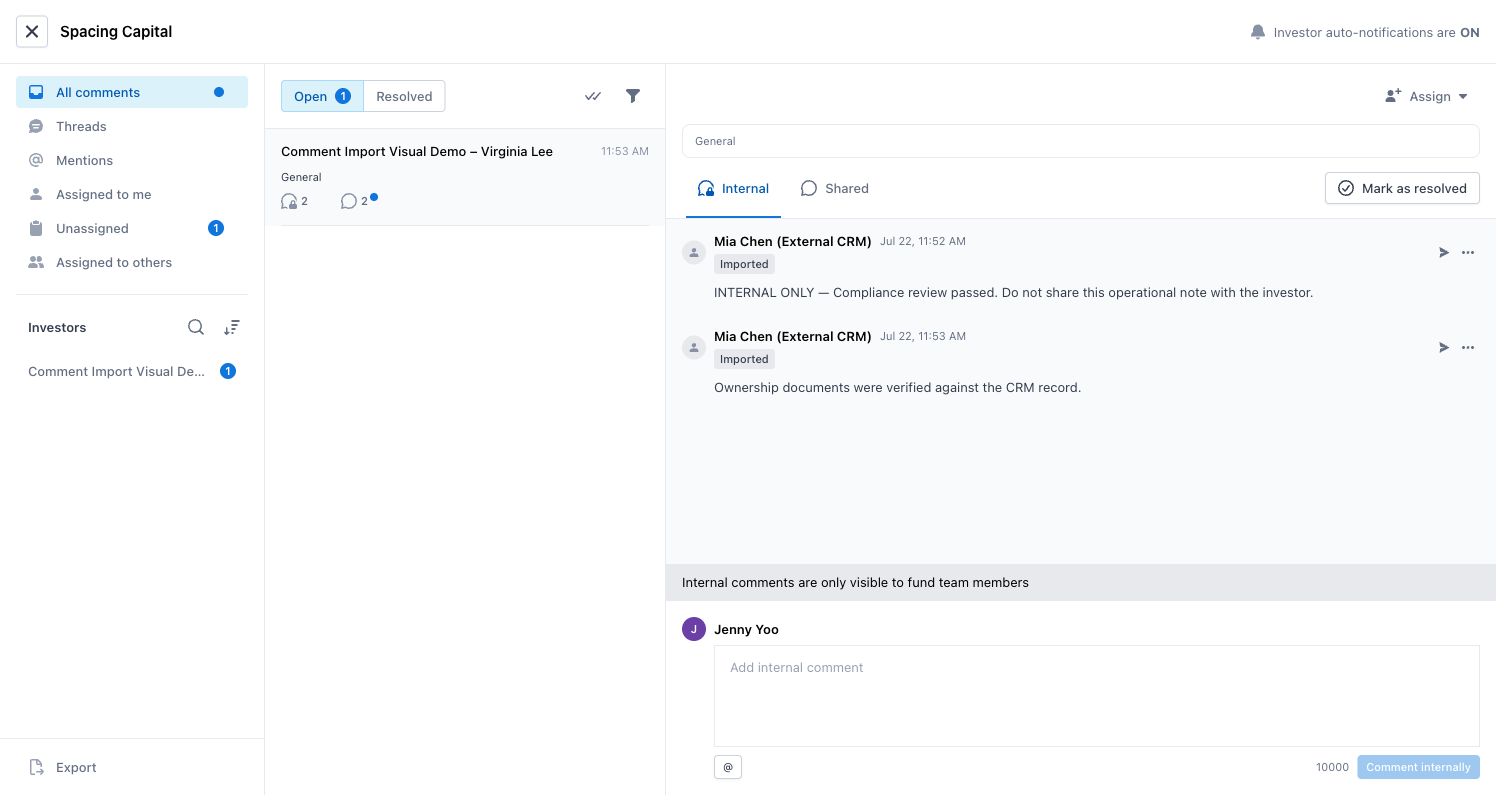
Fund-team inbox. Both visibility tabs are exposed, and the internal thread carries the “only visible to fund team members” notice. Neither the Internal tab nor these comments appear in the investor view above.
Anchor point
An anchor describes what a conversation is about:
general: the subscription as a whole.formQuestion: a specific question on the subscription form.amlKycDocument: an AML/KYC document.
For your first implementation, we recommend importing external-system comments into a general thread. To work with conversations on form questions or AML/KYC documents, see Reply in form-question and AML/KYC threads.
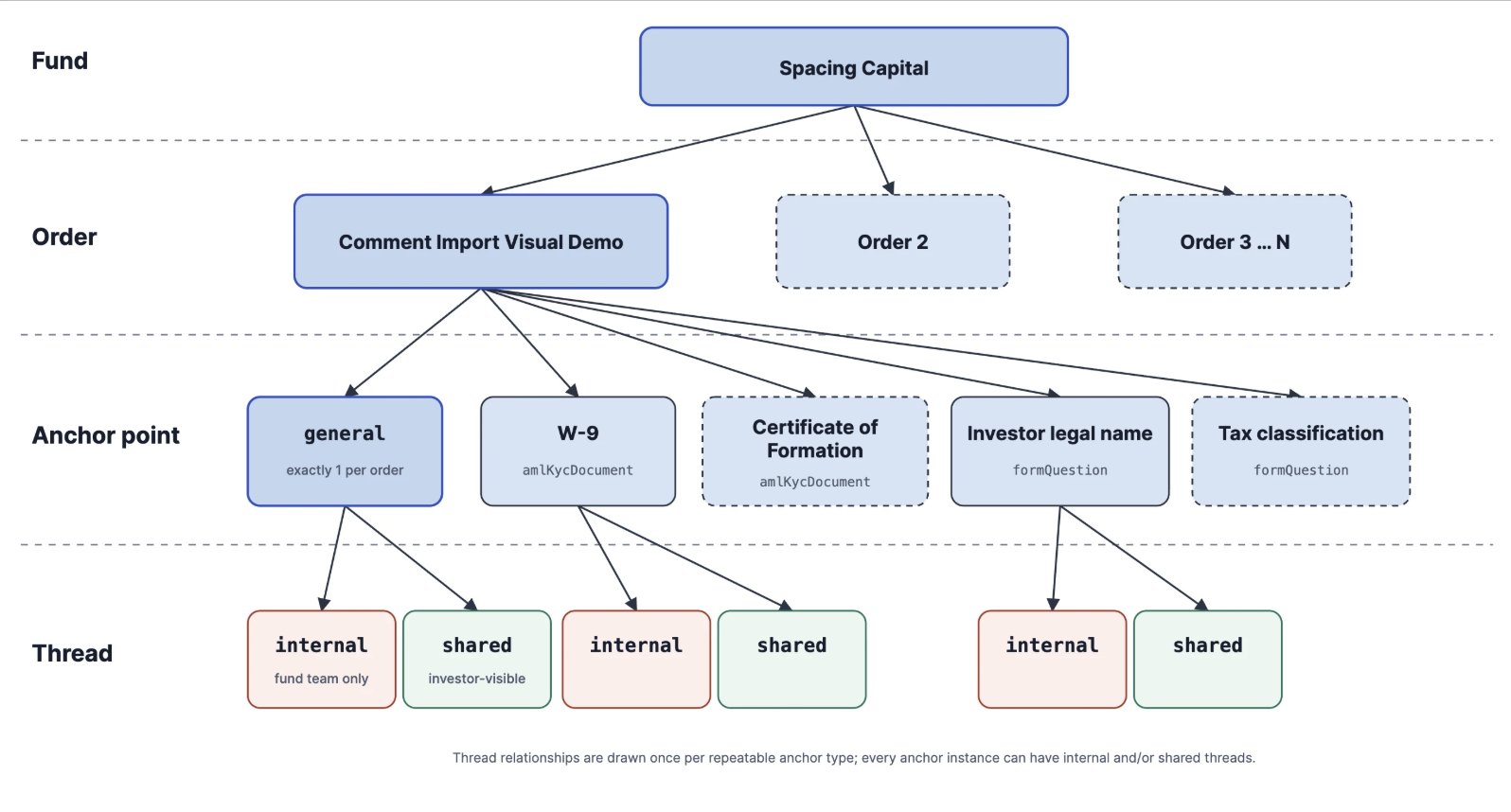
Read the diagram from top to bottom. A fund can contain many orders; one order is expanded here. Each order has exactly one general anchor, and can have multiple amlKycDocument anchors (for example, W-9 and Certificate of Formation) and multiple formQuestion anchors (for example, Investor legal name and Tax classification). Each anchor may have an internal thread and a shared, investor-visible thread. To keep the diagram readable, thread relationships are drawn only once for each repeatable anchor type.
Status and assignment
A thread can be open or resolved.
A thread may also have an assignee:
- A user, identified by
email. - A team, identified by
teamId.
Both controls are visible in the fund-team inbox screenshot above: the Open and Resolved filters over the thread list, and the Assign menu on the selected thread.
The Anduin application may display a team as a group, while the API uses team and teamId. Status and assignment are currently available for reading only through the Comment API.
Comment, author, and attribution
Every comment includes a commentId, threadId, body, author, and createdAt.
Comments imported through the API are authored by your Anduin API service account. To preserve the original author's name from your external system, provide onBehalfOf:
{
  "body": "Beneficial ownership documents were received.",
  "onBehalfOf": "Mia Chen (External CRM)",
  "externalRef": "crm-comment-1042"
}
onBehalfOf is display attribution. It does not replace the Anduin service account as the comment's author. In the screenshots above, Jordan Lee (External CRM) and Mia Chen (External CRM) both come from onBehalfOf, while the Imported tag identifies the comment as API-imported.
externalRef is a value from your system that helps you reconcile imported comments. It is not a deduplication key; importing a comment with the same externalRef again creates another comment.
The API assigns createdAt when the comment is imported. If readers need the original timestamp, keep it in your external system or include it in the comment text.
Mentions and notifications
Use the following tokens in body to mention a member or team:
@[[email protected]]@[team:TEAM-ID]
If a mention does not match someone who can see the thread, it remains plain text. It does not cause the request to fail.
Use notifyMode to control notifications:
| Value | Behavior |
|---|---|
none | No in-app notification and no email. Recommended for historical imports and silent synchronization. |
inApp | Create an in-app notification, but do not send email. |
all | Create an in-app notification and queue an email. Email notifications are batched and sent every 10 minutes, so delivery is not immediate. |
Notice: notifyMode: "inApp" creates an unread in-app indicator next to the comment icon — the red dot in the investor screenshot above — without sending email. With notifyMode: "all", the in-app indicator is created and an email is queued. Email notifications are batched and sent every 10 minutes.
The email identifies the fund, the subscription, the anchor, the original onBehalfOf name, and the Imported status:
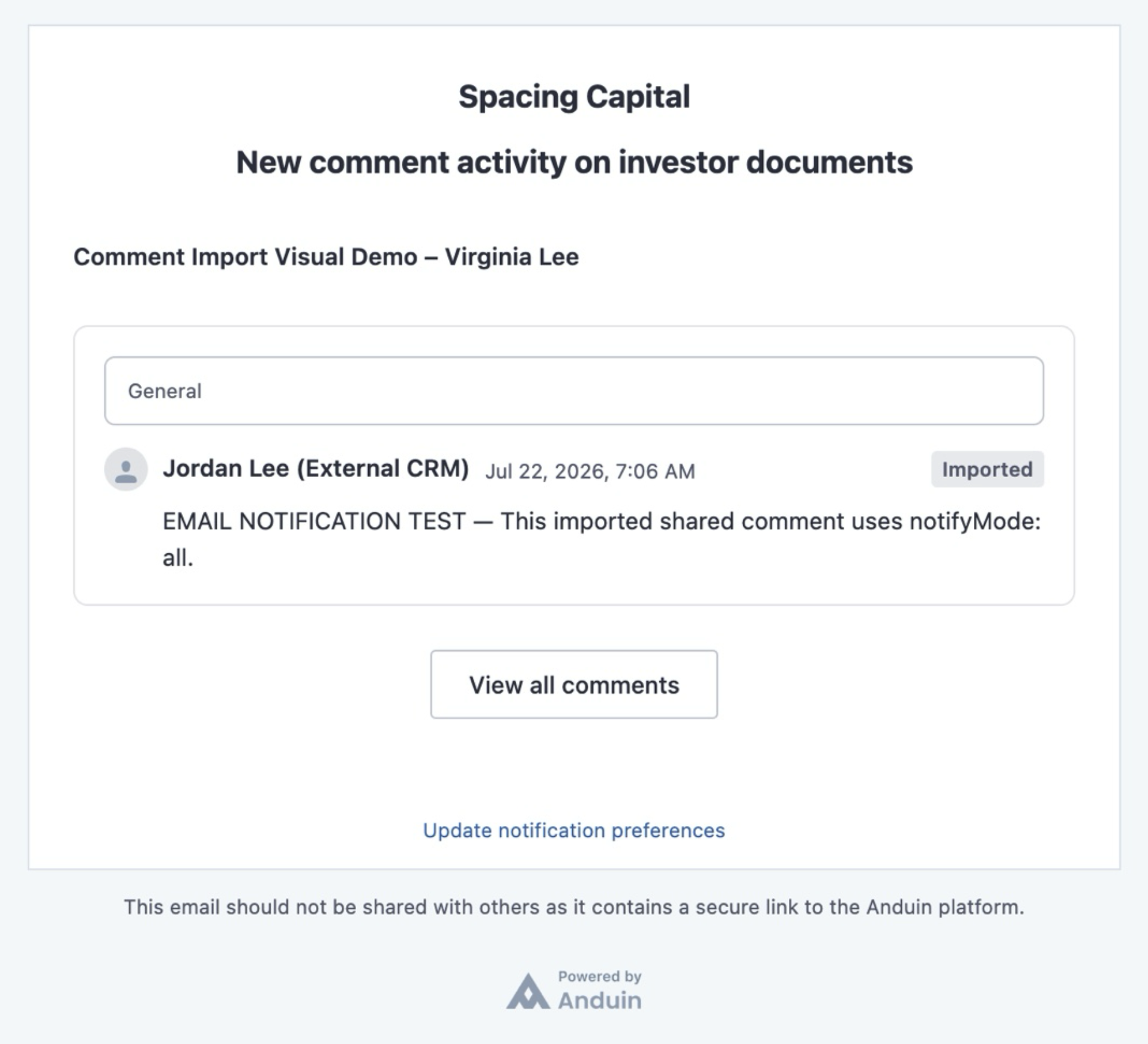
Updated 3 months ago