
BNY Automated Document Transfer
1. Purpose
This integration establishes a secure, automated channel between Anduin FundSub and BNY's SFTP server, eliminating the manual document handoff that exists today. Because BNY personnel are not permitted to log directly into Anduin's platform, subscription documents and investor data have historically been packaged and transferred outside of Anduin by GP ops teams — creating delays, version risk, and operational overhead at every closing.
This integration automates that handoff end-to-end: when a subscription is ready, Anduin assembles a structured ZIP package and delivers it directly to BNY's SFTP server. Post-completion document updates are handled automatically as well, so BNY always holds the latest investor information without any manual intervention.
2. Key Benefits & Features
- Eliminate Manual Handoffs: Automatically deliver complete document packages to BNY the moment a subscription is ready — no packaging, no emailing, no ops overhead.
- Structured, BNY-Compliant Output: ZIP files follow BNY's exact naming convention and document type schema, ensuring programmatic ingestion on BNY's side without reformatting.
- Dual-Trigger Safety Gate: The ZIP is only assembled when both conditions are met — the subscription has reached the configured status and all required supporting documents have at least one upload. This prevents incomplete packages from being sent.
- Automatic Post-Completion Updates: If a subscription's form data changes post-completion, a full new ZIP is re-sent. If only supporting documents are updated, a delta ZIP containing only the changed files is delivered — keeping BNY's records current without redundant transfers.
- Per-Vehicle Isolation: Each investor–fund vehicle combination generates its own independent ZIP, consistent with Anduin's subscription-based data model.
3. Potential Customer Personas
- Any GP whose funds are administered by BNY and who wants to eliminate manual document transfer at closing.
- Ops teams managing high volumes of subscriptions where manual packaging creates a closing bottleneck.
- Firms seeking a clean, auditable, automated trail of document delivery to their fund administrator.
4. Prerequisites
4.1 Third-party app requirements
- Customer must obtain BNY's SFTP host, port, directory path, and authentication credentials (key pair) from BNY directly
- BNY's DocType mapping for the specific fund must be confirmed — different funds may use different subsets of BNY's standard document type list
4.2 Anduin app requirements
The user must either:
- Have admin access to the intended fund(s), or
- Know a team member with admin access who can grant the necessary permissions during setup
Users should also understand the ZIP assembly trigger logic:
- The ZIP is generated only when both of the following conditions are simultaneously true:
- The subscription has reached the configured trigger status (e.g. Submitted, Countersigned — set during configuration)
- All required supporting documents on that subscription have at least one upload
- If a subscription reaches the trigger status but a required document is still missing, the ZIP will not be generated until the missing document is uploaded.
Users should also understand the post-completion update behaviour:
- Subscription form data changed (e.g. GP initiates a change request on the SubDoc) → full new ZIP generated and sent, containing all documents and refreshed CSVs
- Only supporting documents updated (e.g. investor uploads a new W-9 or replaces an expired passport) → delta ZIP generated and sent, containing only the new or updated documents
File naming convention:
All files delivered to BNY follow the naming convention below, agreed with BNY:
| File Type | Naming Convention |
|---|---|
| ZIP File | Anduin_{externalInvestmentId}_YYYY-MM-DD_HH-MM-SS.zip |
| Investment CSV | Anduin_Investments_{externalInvestmentId}_YYYY-MM-DD_HH-MM-SS.csv |
| Relationship CSV | Anduin_Relationship_{externalInvestmentId}_YYYY-MM-DD_HH-MM-SS.csv |
| SubDoc / AML/KYC Docs | Anduin_{externalInvestmentId}_{DocType}_YYYY-MM-DD_HH-MM-SS.{fileId}.{extension} |
-
externalInvestmentIdmaps to Anduin's subscription ID -
DocTypemust match BNY's predefined values — configured per fund via the DocType mapping JSON form. BNY's full list of supported DocType values is below. Each Anduin document category must be mapped to one of these exact strings:DocType Value ProofOfAddress BeneficialOwnersandControllingParties OtherEKYCDocuments DueDiligence Evidenceofscreening HighRiskForm ShareRegister Sourceoffundsandwealth AMLComfortLetter AMLNomineeLetter AMLRelianceletter CustomerDueDiligence IdentificationDocument ProofofRegistration AuditedFinancialStatements Constitutionaldocument EntityFormationDocument FundConstitutionaldocument TrustDeed AMLDocument AuthorizedSignatureList BankingInstructions FATCAForm FundApplicationForm InterestedParties LetterofAuthority Other RedemptionDocument StaticDataChange SubscriptionDocument SuitabilityQuestionnaire TaxForm TransferDocument
5. Pre-Setup Checklist
| Task | Owner | Notes |
|---|---|---|
| Admin access to intended fund(s) | Customer | Required before installation |
| BNY SFTP credentials (host, port, path, key pair) | Customer, sourced from BNY | Entered during configuration |
| BNY DocType mapping confirmed for the fund | Customer + Anduin | Determines which Anduin document categories map to BNY's expected DocType values |
| Confirm trigger status with GP | Customer | Which subscription status should fire the ZIP assembly |
| Confirm required supporting documents | Customer | Only subscriptions with all required docs uploaded will trigger the ZIP |
6. Internal Step-By-Step Rollout Guide
6.1 Grant access to the Integration Hub
- Follow the internal access provisioning guide to enable Integration Hub access for the customer
- Notify the customer and guide them to the Hub
6.2 Locate the solution
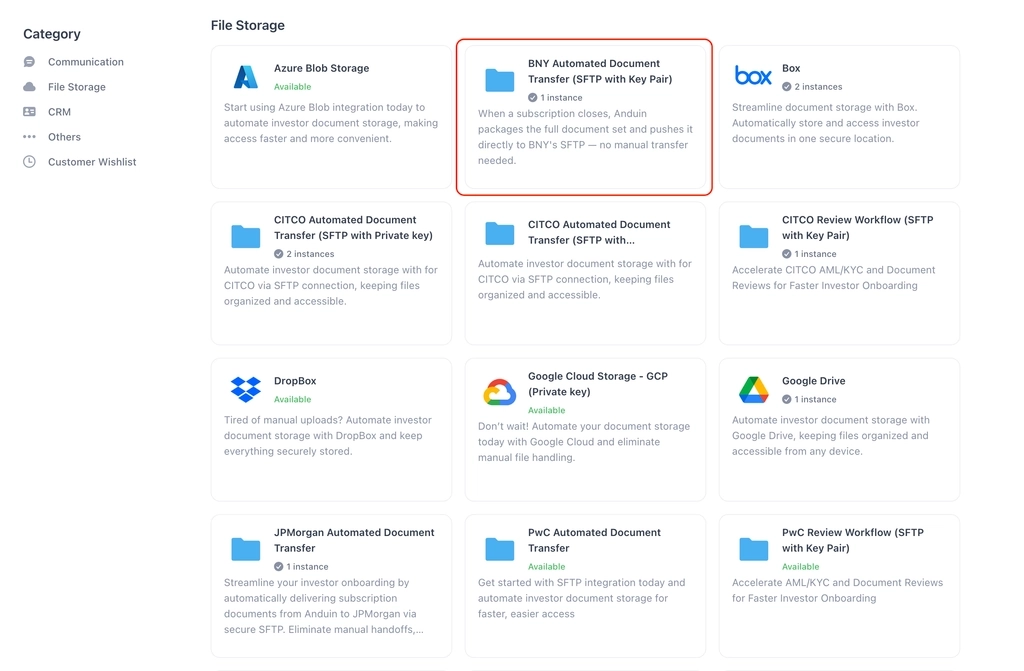
- In the Browse tab of the Integration Hub, the customer locates BNY Automated Document Transfer (SFTP with Key Pair)
6.3 Install the solution
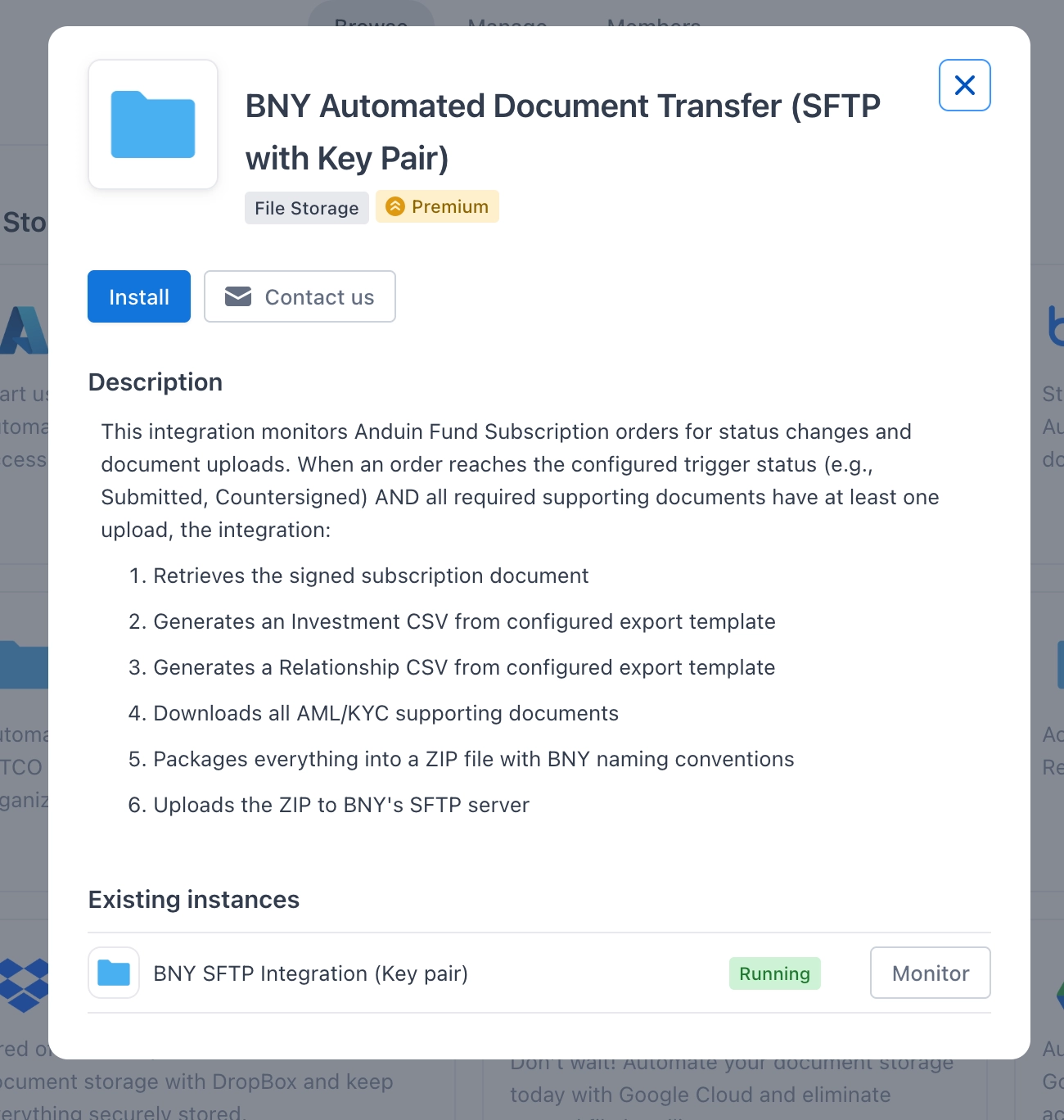
- Step 1: Click Install to begin setup
-
Step 2: Name the integration
- Suggest a clear, descriptive name (e.g. "BNY SFTP - [Fund Name]")
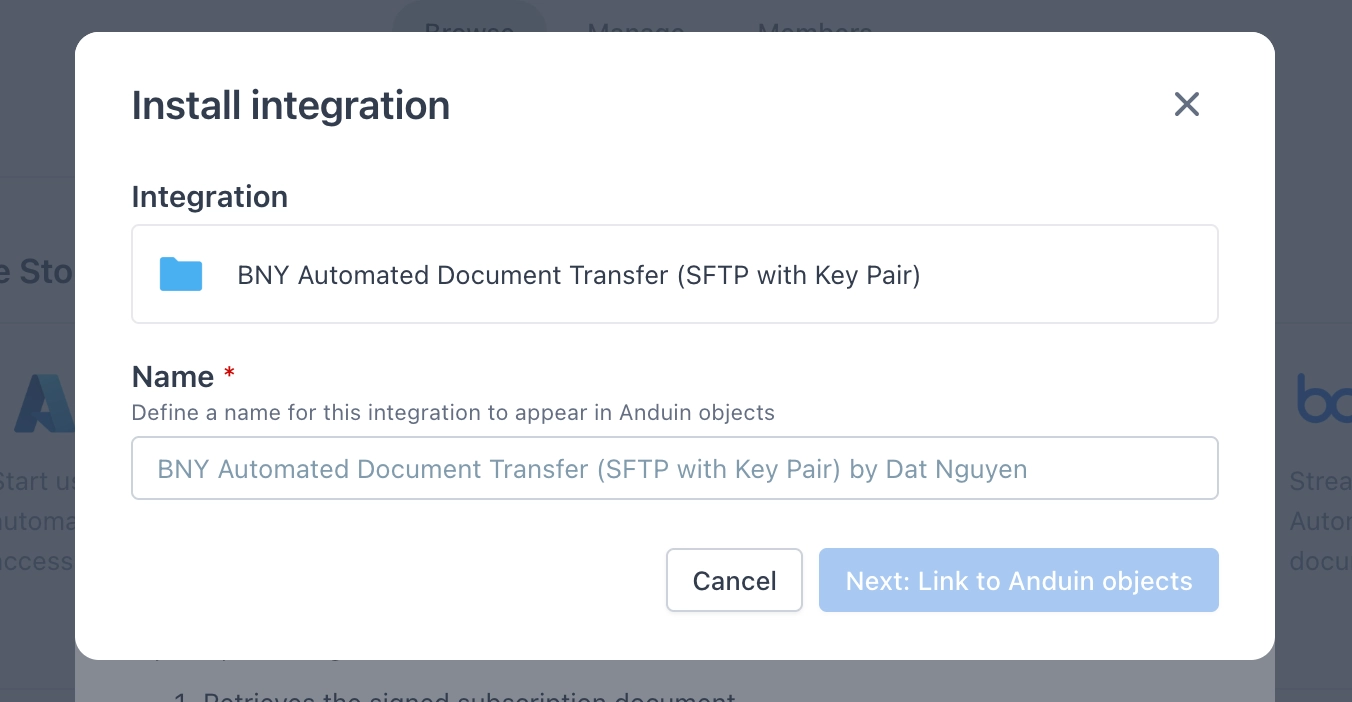
- Click Next: Link to Anduin objects
-
Step 3: Grant the integration permission to the intended fund
- Step 3.1: A list of accessible Anduin objects (Funds) will appear
- Step 3.2: Click Open next to the relevant fund
- Step 3.3: In the permission module, find the integration name and click Add
- Step 3.4: Return to the Integration Hub — the fund should now show a "Linked" tag
If the target fund is not listed, there are two options:
- The customer needs to be added with admin role for that fund, then return to Step 3.2
- A team member with admin role in that fund performs Step 3.3 via Settings > Integrations in the FundSub app, and the customer can continue from Step 3.4
6.4 Configure the solution
Initial Configuration
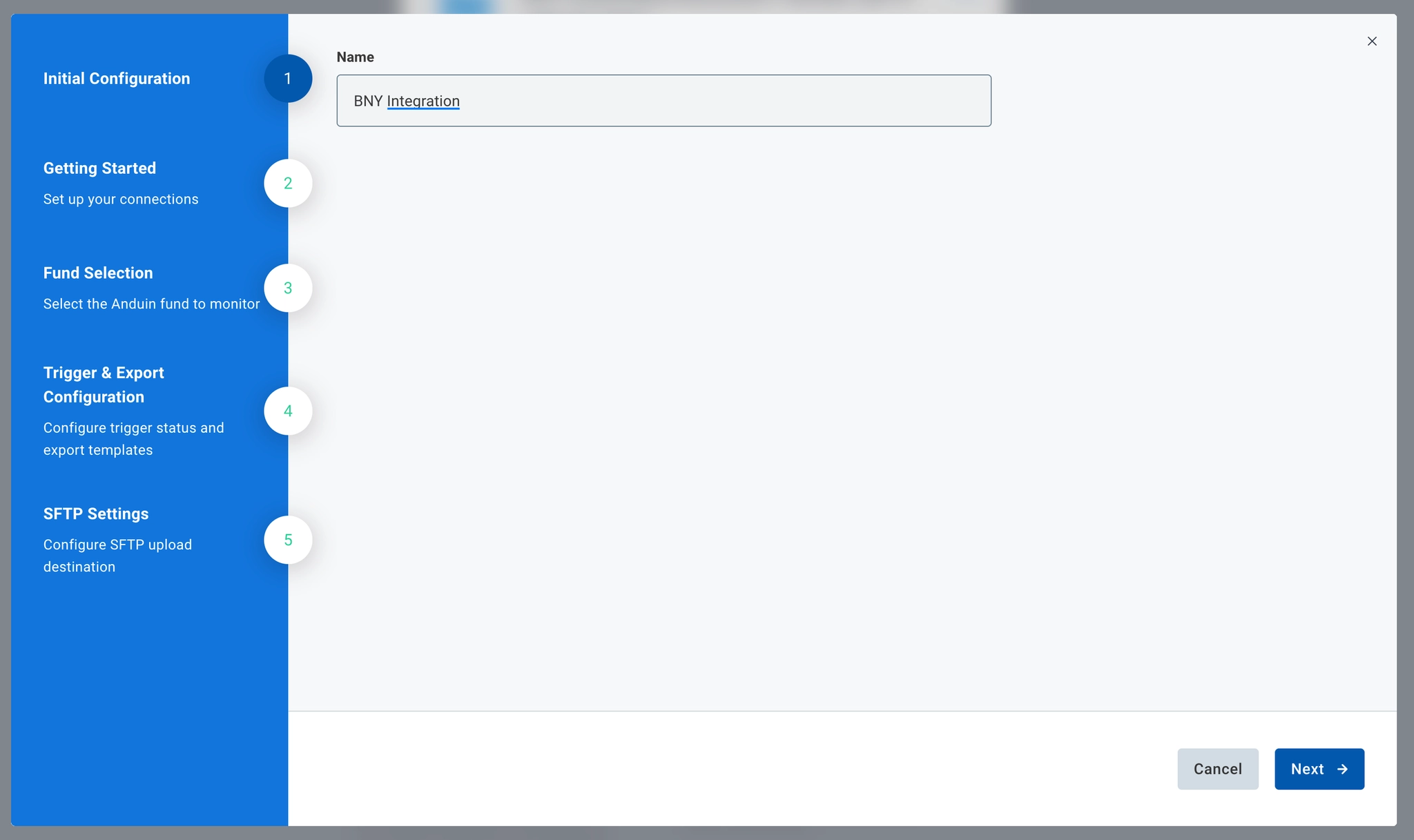
- The customer may rename the integration or proceed with the default name
Getting Started
- This section confirms the connected SFTP for destination
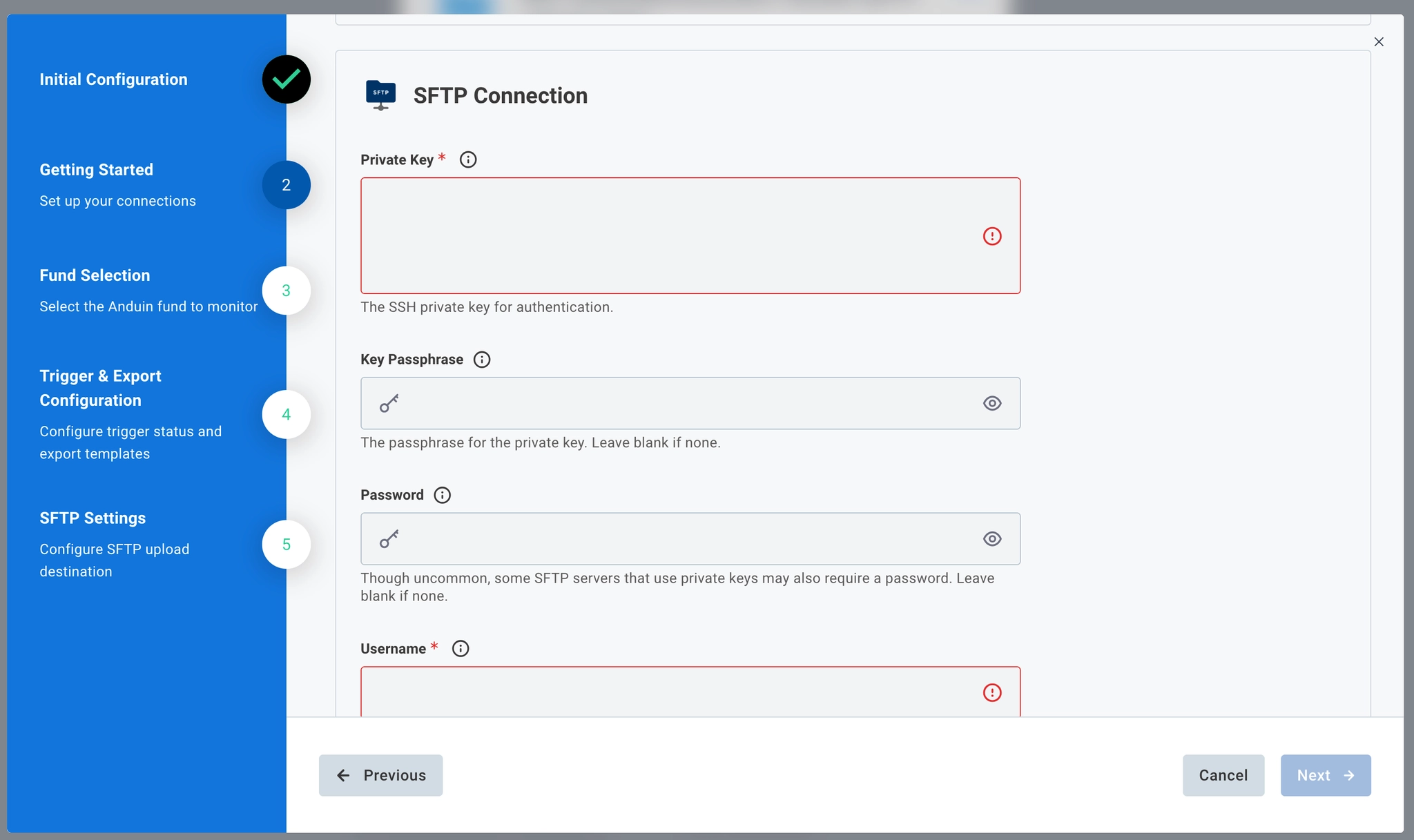
Fund Selection
- Select the Anduin funds this integration instance will monitor
Trigger & Export Configuration
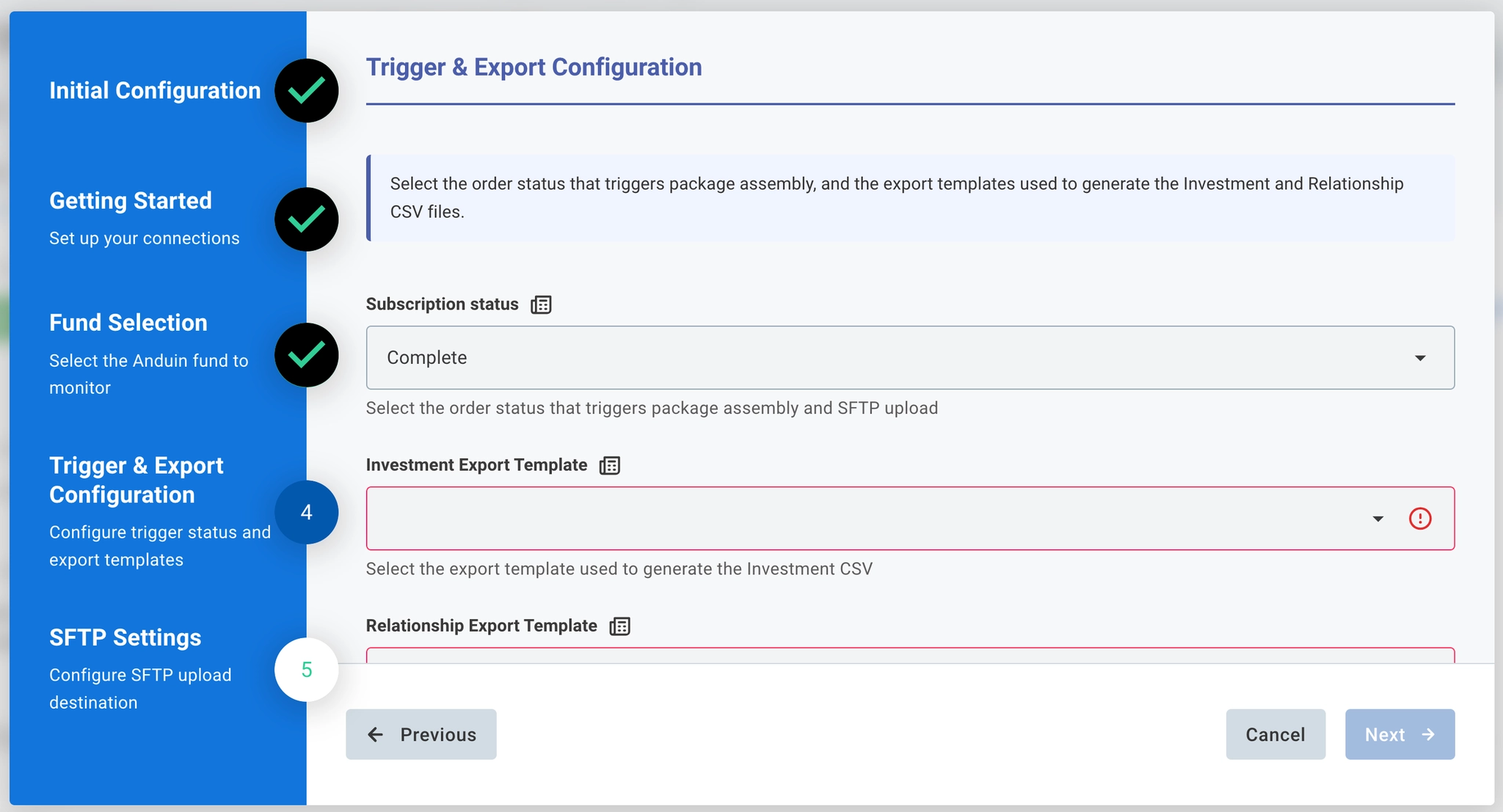
This is the core logic configuration section. The customer sets:
- Subscription status (Picklist) — select the order status that triggers ZIP assembly and SFTP upload (e.g. Countersigned). The ZIP will only be generated when the subscription reaches this status and all required supporting docs have ≥ 1 upload.
- Investment Export Template (Picklist) — select the export template used to generate the Investment CSV. The Investment CSV schema is standardized by BNY.
- Relationship Export Template (Picklist) — select the export template used to generate the Relationship CSV. The Relationship CSV schema is standardized by BNY.
- Mapping Doc Type (JSON Form) — configure the per-fund mapping between Anduin document categories and BNY's predefined DocType values. This mapping determines the
DocTypefield in the file name for each document.
Multi-fund mapping behaviour
When multiple funds are selected in the Fund Selection step, the left-hand side of the Mapping Doc Type form lists all Anduin document types drawn from across all selected funds combined. If the same document type exists in more than one fund, it appears in the list only once — duplicates are deduplicated automatically.
The implication: a single DocType mapping entry applies uniformly to that document type across every fund it belongs to.
SFTP Settings
Enter BNY's SFTP destination path
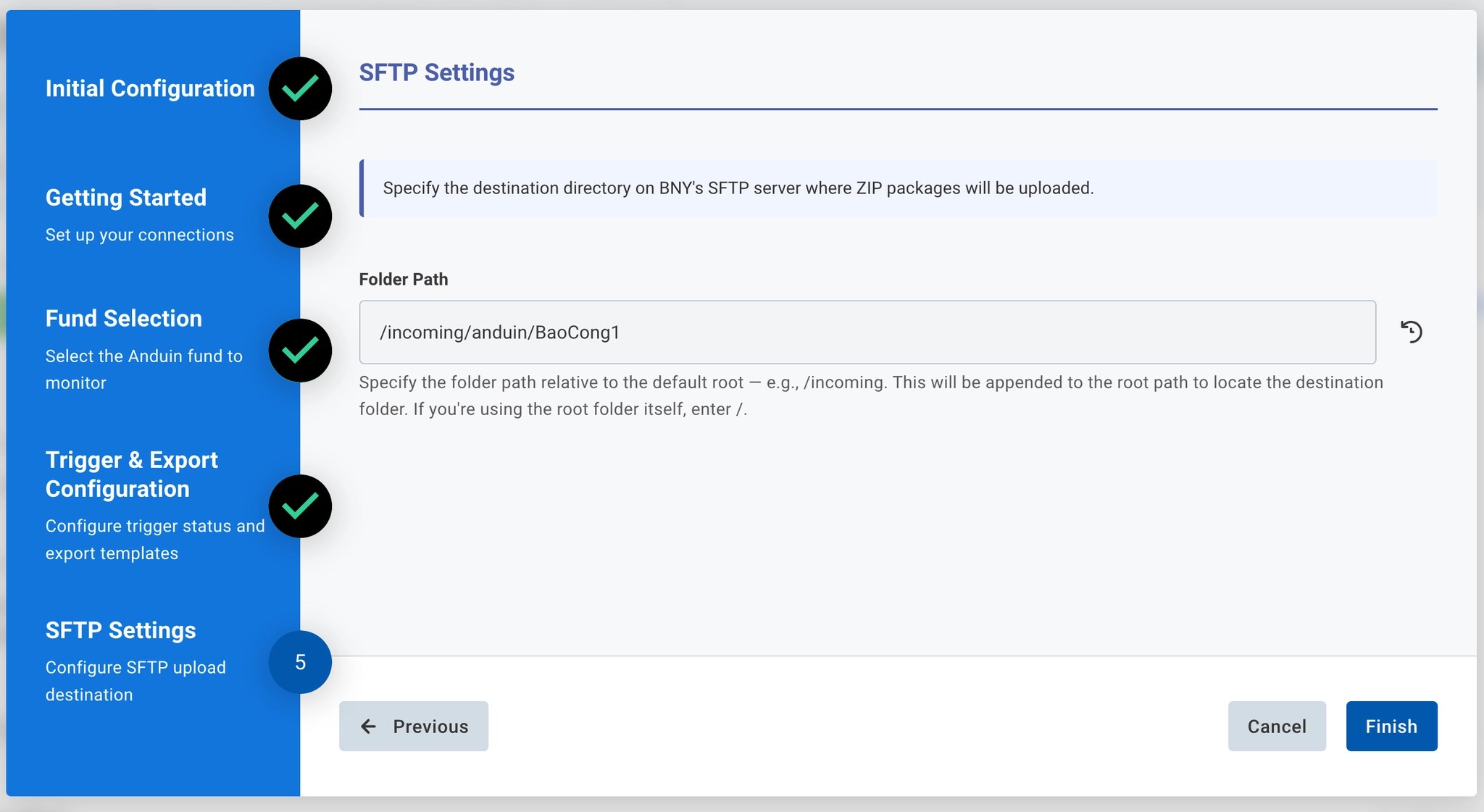
6.5 Validate the solution
- Trigger a test by either updating a subscription to the configured status in the connected fund (with all required supporting docs uploaded), or uploading a supporting document to a subscription already at the trigger status
- Confirm a ZIP is generated in BNY's SFTP directory at the configured path
- Verify the ZIP contains:
- One signed subscription document PDF
- One Investment CSV
- One Relationship CSV
- All applicable AML/KYC documents
- Verify all file names follow the
Anduin_{externalInvestmentId}_...naming convention - Confirm delivery to the correct BNY SFTP directory
Updated 5 months ago